HeroClass gives teachers the controls they need to manage students, teams, powers,
resources, settings, and classroom events without needing to chase ten different screens.
HeroClass can become a deep classroom world, but the teacher dashboard is designed to keep that depth manageable.
Teachers can view students, adjust resources, organize teams, open classroom tools, and control which systems are active.
The goal is simple: give students a rich experience while giving teachers clear control. Because apparently teachers
already have enough chaos without needing a second job as a medieval database administrator.
Everything Starts From the Dashboard
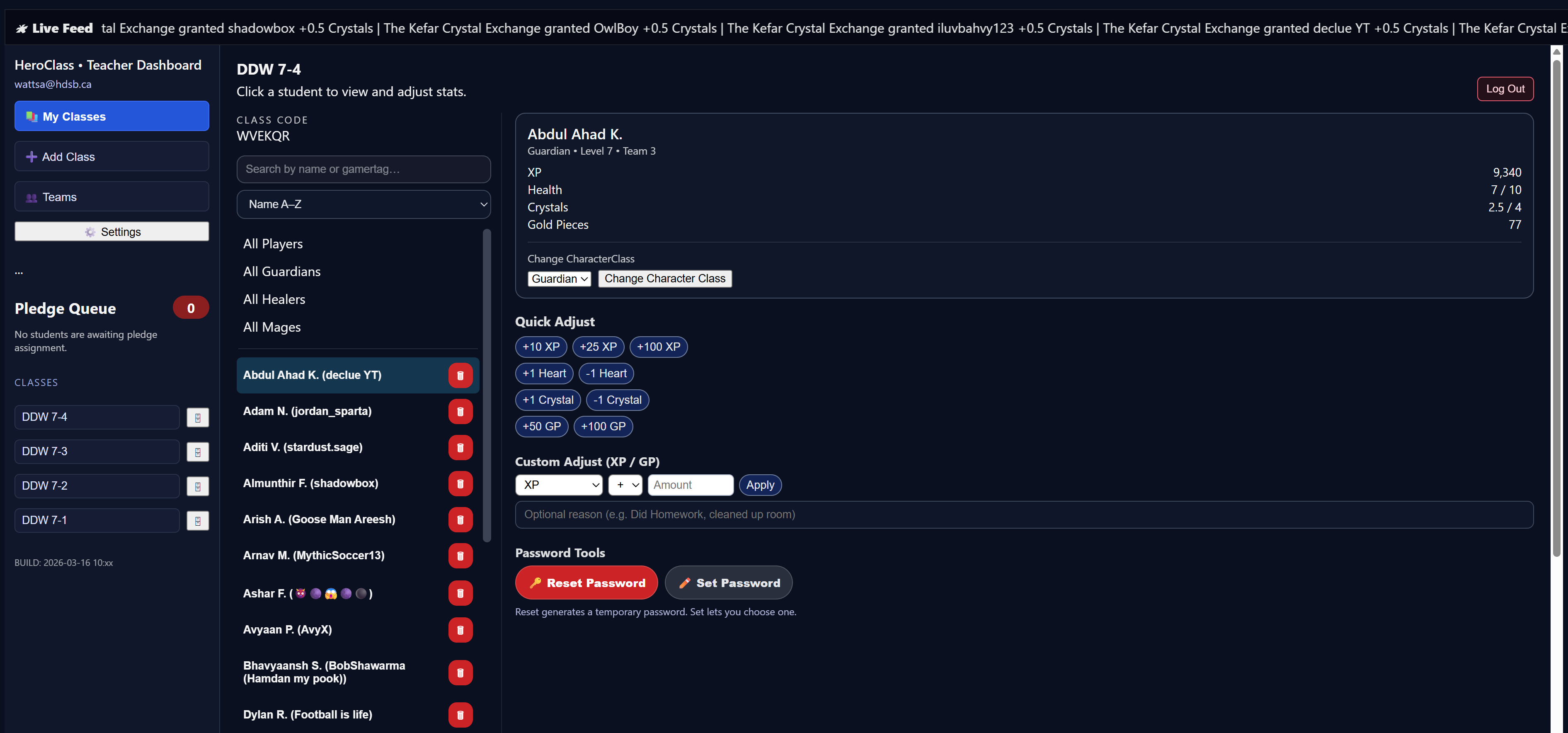
The teacher dashboard shows the selected class, student list, search and filters, quick stat adjustments,
password tools, and a live feed of student activity across the top of the screen.
Teachers can select a student, view key stats, adjust XP, Health, Crystals, or Gold Pieces,
and monitor recent activity from one central screen.
Designed for Quick Classroom Control
Live Activity Ticker
Student actions appear in a live feed at the top of the page, giving teachers a quick sense of what is happening
without digging through records.
Student Filters
Teachers can search by name or gamer tag, filter by group, and quickly find the student they need.
Fast Adjustments
Common changes such as adding XP, Health, Crystals, or Gold Pieces can be made quickly from the dashboard.
One-Screen Overview
Student identity, class, level, team, resources, and tools are kept together so teachers are not hunting through menus.
Team Management Without the Spreadsheet Acrobatics
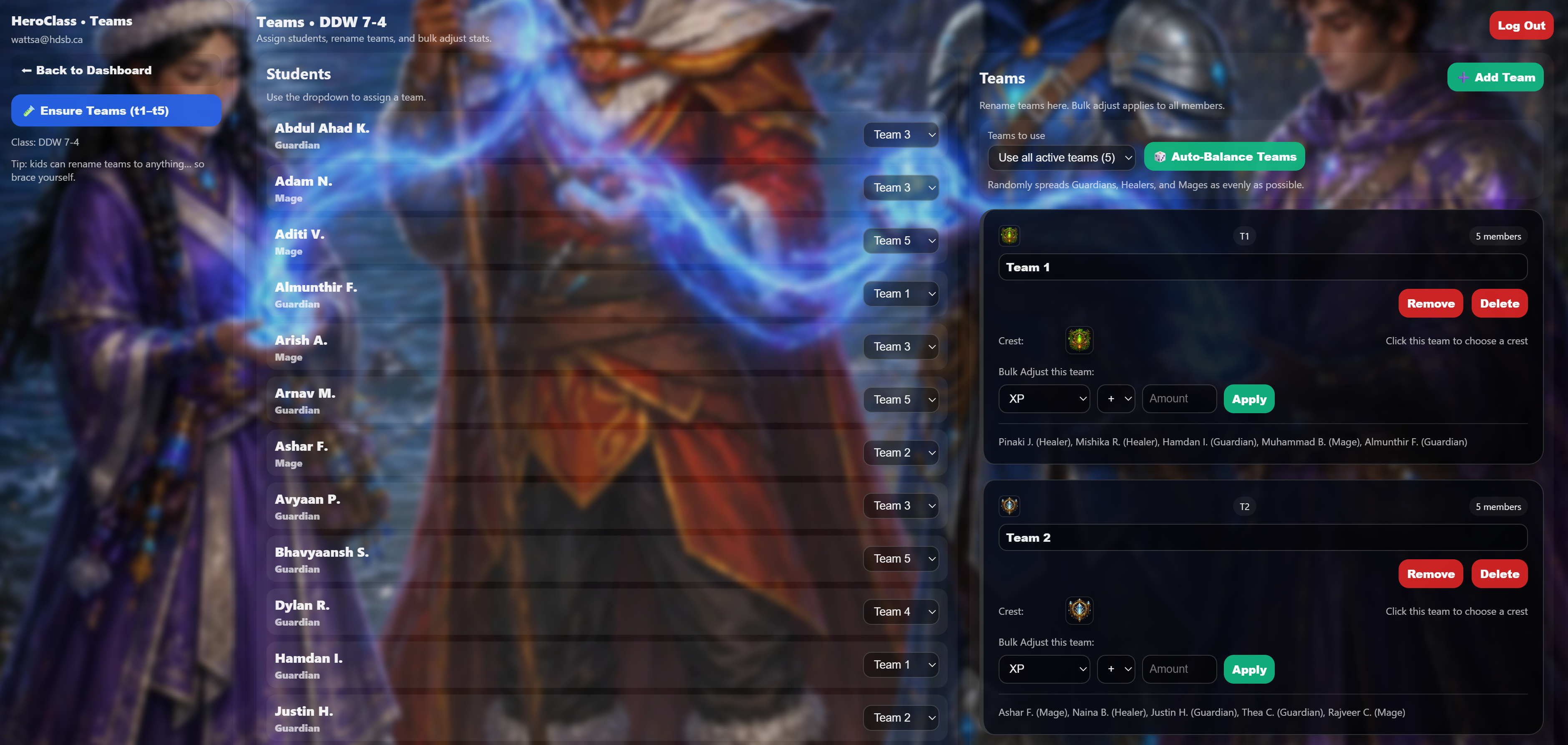
The Teams page helps teachers assign students, rename teams, balance roles, and make bulk adjustments.
This is especially useful once students are using powers that depend on teamwork and class balance.
Teachers can assign students to teams, use auto-balance to spread Guardians, Healers, and Mages evenly,
rename teams, choose crests, and apply bulk changes to team members.
Turn Systems On or Off
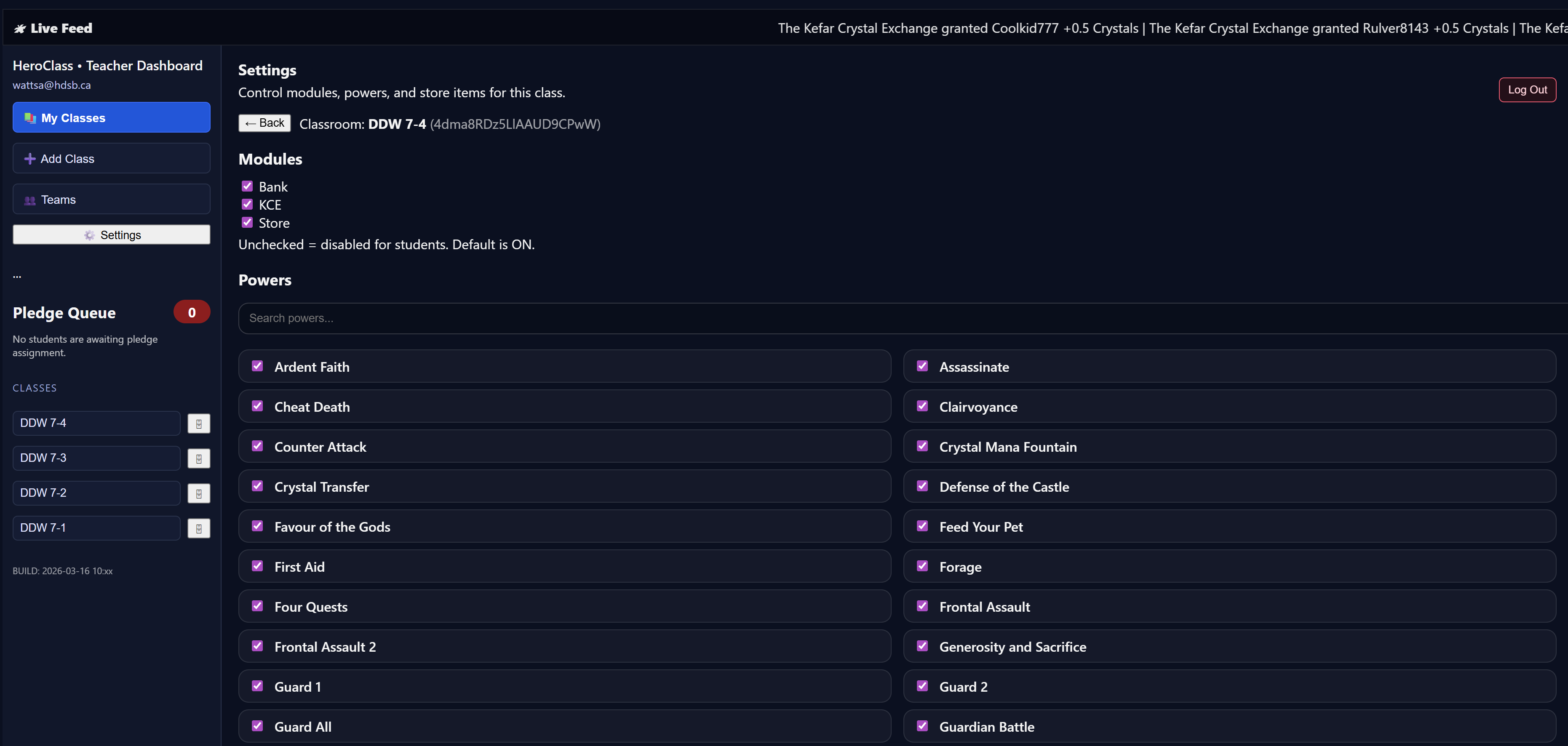
HeroClass is flexible. Teachers can control major modules like the Bank, KCE, and Store, and can also enable or disable
specific powers and store items. This allows each classroom to use the right amount of complexity at the right time.
Settings make it possible to introduce HeroClass gradually. Start small, turn on deeper systems later,
or disable anything that does not fit a particular class.
Bank, KCE, and Store modules can be controlled by the teacher
Individual powers can be enabled or disabled
Store items can be managed separately from class powers
Teachers can adapt HeroClass to different ages, routines, and classroom needs
Class Tools for Daily Use
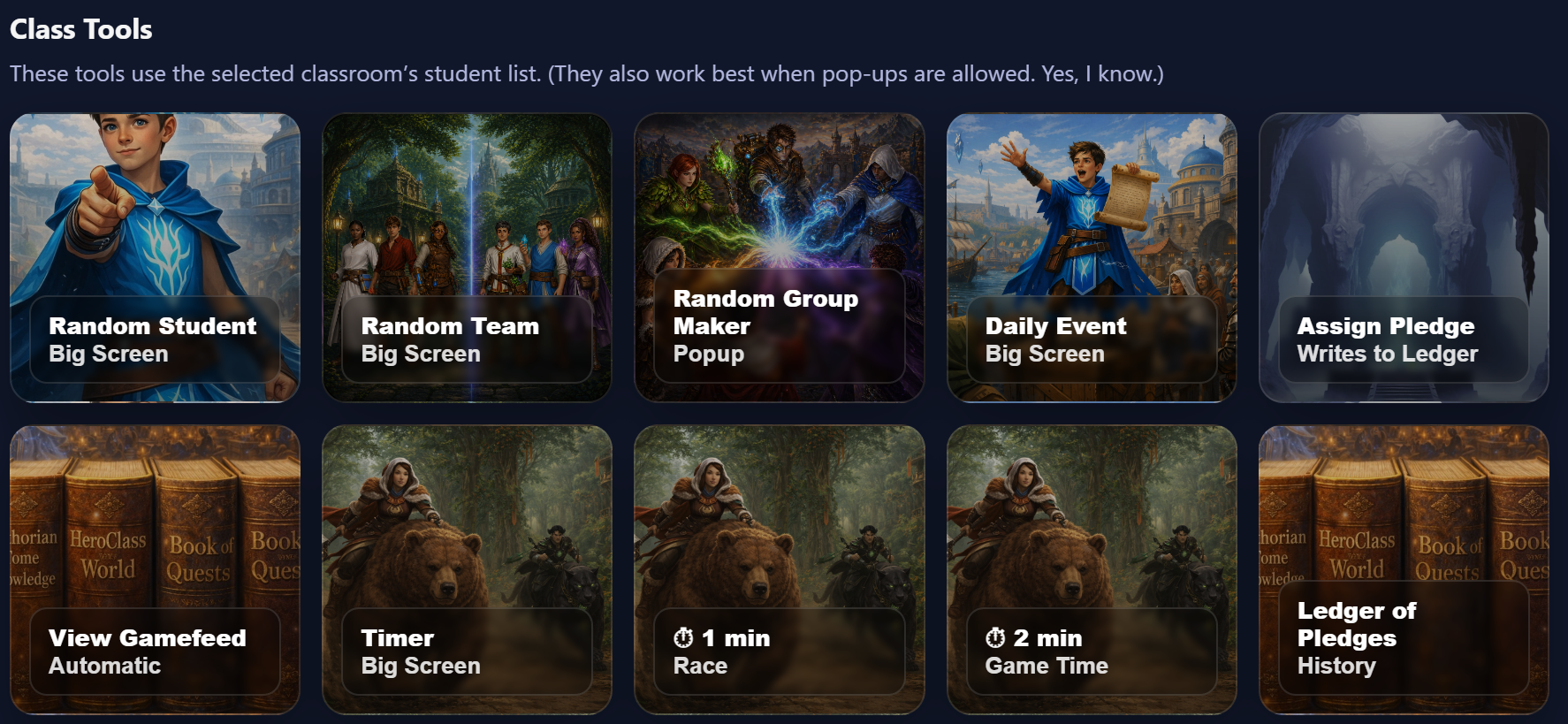
HeroClass includes teacher-controlled tools for common classroom moments: choosing students, making teams,
running timers, launching daily events, assigning pledges, and viewing the class feed.
Tool buttons are designed for projection and quick access, so teachers can run routines without stopping the lesson flow.
Random Student
Choose students fairly for participation, questions, or classroom routines.
Random Team
Pick teams for challenges, activities, or class events without the usual negotiation circus.
Daily Events
Launch the daily world event and give the class a shared moment to react to.
Pledge Tools
Assign and track consequences when students fall in the game world.
GameFeed
View a record of student actions, rewards, adjustments, and major moments.
Timers
Open big-screen timers for races, activities, transitions, or classroom challenges.
Why This Matters
A classroom game only works if the teacher can actually manage it. HeroClass gives students a layered experience,
but the tools are designed so the teacher can keep the system clear, fair, and under control.
Depth for Students. Control for Teachers.
Students experience teams, resources, choices, powers, economy systems, events, and consequences.
Teachers manage those systems from clear screens with practical controls.